
Imagine a customer inquiring about a product on WhatsApp. They are given an initial response, but have to wait hours to get more information. Your sales team is engaged in several conversations, and some vital questions go unanswered. One of the regular issues in business is dealing with customer communication manually.
Now picture this: Someone runs an online home décor store in Bengaluru. Last Diwali, their four-person team answered customers from three personal phones. Orders were misplaced, a holiday deal was sent to just 256 contacts, and two buyers requested a refund following a day of no reply. For some time, WhatsApp Business app was operational, but failed to provide continuous support.
Addressing these challenges requires a WhatsApp business solution provider, which can offer automated messaging, customer support solutions, and business integrations. But there are several providers and it is important to consider which is right for you. Below are seven aspects that companies need to consider prior to deciding.
What Is a WhatsApp Business Solution Provider?
A WhatsApp business solution provider helps businesses access and manage the WhatsApp Business Platform via API-based communication solutions. It allows companies to manage customer conversations, send notifications, automate responses, and handle messaging at scale.
Unlike the regular WhatsApp Business App, the WhatsApp Business API supports more advanced business communication requirements, including integrations, automated workflows, and large-scale messaging.
For businesses handling multiple customer inquiries, sales conversations, and support requests, a suitable provider can make communication easier to manage while reducing manual work.
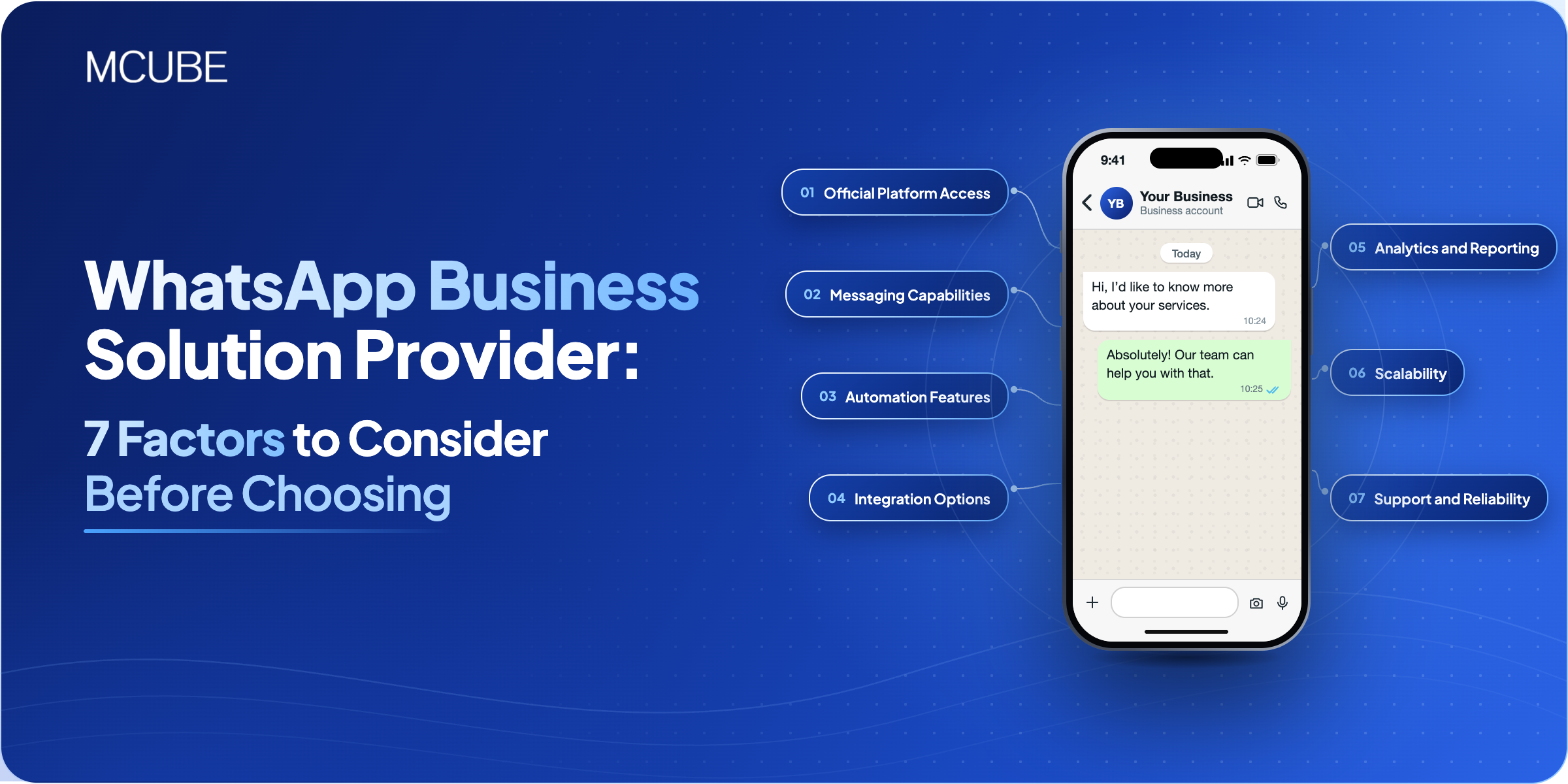
7 Factors to Consider Before Choosing a WhatsApp Business Solution Provider
WhatsApp Business API Access and Easy Onboarding
First, verify if the provider has the official WhatsApp Business Platform to access. Onboarding should be simple, including business verification, business registration of cell phone numbers, configuration of a business account, and setting up business messaging templates.
An experienced provider will also take your team through WhatsApp’s guidelines and usage requirements. This will help you to get started without any technical hassles.
When considering, be aware of the set-up process, the expected timeframe, and support that will be provided while implementing.
Automation and Messaging Capabilities
Managing hundreds of customer conversations manually can slow down response times. Look for a provider that offers automation features to handle routine communication and follow-ups.
Some useful capabilities include:
- Automated responses: Respond to frequently asked customer questions without human effort.
- Personalized messaging: Deliver relevant messages based on customer needs.
- Notifications and reminders: Share order updates, appointment confirmations, and payment reminders.
- Message tracking: Monitor message delivery and read receipts.
- Template messaging: Use approved templates for business-initiated communication.
If your business also runs promotional campaigns, check whether the provider supports WhatsApp marketing software features that help manage customer outreach.
CRM and Third-Party Integrations
Your provider should be able to integrate with the tools your team is already using. When a chat is stored in one system and customer records are stored in a different one, agents waste time copying information between systems.
Ask which CRMs and helpdesks connect out of the box. Find out how much developer time a custom API integration takes, and whether customer data syncs both ways.
MCUBE’s WhatsApp Business API connects with your CRM and customer service tools. Its background in cloud telephony also makes it a practical choice if you want calls and WhatsApp conversations to run in the same workflow.
Security, Privacy, and Compliance
Customer conversations often include personal information, order details, and other business-related data. Therefore, security should be an important part of your selection process.
Ensure that the provider has robust data security, access controls, and adheres to data protection regulations. It also must comply with the business messaging policies of WhatsApp, such as customer consent and WhatsApp-approved messaging templates.
Ask where customer information is stored, who can access it, and what security measures are available. These checks help protect customer information and maintain trust.
Scalability and Multi-Agent Support
Your communication requirements may change as your business grows. A solution that works for a small team today should also be able to support higher message volumes and additional users in the future.
Look for features such as:
- Multiple agent access to manage customer conversations.
- Shared communication tools for different departments.
- Options to expand messaging capacity.
- Centralized management of customer interactions.
Your scalable WhatsApp business solution provider should be able to meet your communication needs without forcing you to switch to different platforms again and again.
Pricing and Overall Value
Another element to consider when comparing providers is pricing. Some websites may have setup fees or maybe, usage fees or perhaps even messaging fees.
Do not opt for the lowest price, get a clarity on what you are getting and if the features are required.
Take these pricing factors into account:
- Initial setup and onboarding charges.
- Monthly or annual subscription fees.
- WhatsApp messaging charges.
- Additional costs for integrations and automation.
- Charges for adding users or increasing usage.
Ask for a detailed quote before signing a contract. Clear pricing enables companies to make ideal guesses about communication expenses and dodge unexpected expenditures.
Customer Support and Technical Assistance
Even with a well-designed platform, there’s a possibility that you could need help with installation, integrating with other systems, writing your messages, or with technology.
See if the provider provides information on how to get started, technical support, and prompt help when issues occur. It’s also beneficial to know the different avenues for support and response time.
Facing implementation challenges, a reliable support team can help you keep the business communication going. When looking for a provider, inquire about their support process and if support will be available after you’ve been on-boarded.
WhatsApp Business Solution Provider: Which Features Does Your Business Need?
Different businesses have different WhatsApp communication requirements. Understanding these requirements can help you choose a solution that fits your business operations.
| Business Requirement | Features to Look For | Business Benefit |
|---|---|---|
| Customer Support | Automated replies and two-way messaging | Faster query resolution |
| Sales and Lead Management | CRM integration and follow-up automation | Better lead tracking |
| Marketing Campaigns | Bulk messaging and approved templates | Wider customer reach |
| Order Management | Automated order and delivery updates | Improved customer experience |
| Appointment Management | Booking confirmations and reminders | Fewer missed appointments |
| Team Communication | Multi-agent access and conversation management | Better coordination |
How MCUBE Helps Businesses Streamline WhatsApp Communication
MCUBE offers a WhatsApp Business API solution that helps businesses manage customer interactions and simplify messaging workflows.
Its features support different communication requirements, including automated customer service, personalized messaging, message delivery and read-receipt tracking, and two-way conversations.
Businesses can also use MCUBE’s WhatsApp solution to:
- Send order confirmations, shipping updates, and promotional messages.
- Respond to customer inquiries through automated communication.
- Connect WhatsApp with existing CRM and customer support tools.
- Manage customer communication and follow-ups more efficiently.
These features enable businesses to integrate customer communication into their current communication workflow, instead of having to deal with it manually.
Conclusion
When selecting the right WhatsApp business solution provider, price isn’t the only factor to consider. Before deciding on automation, integration, security, scalability, and customer support are all factors that should be considered. The right solution should make it easy to communicate everyday and to continue to grow. Review your needs, look at the features offered, and select the provider that best matches your business needs. For teams looking to achieve faster, measurable customer communications, MCUBE’s WhatsApp Business API merges automated replies, personalized messaging, CRM integration, and delivery tracking all in one.